
Tech
The Best 9 Smartwatches with Advanced Technology and Features

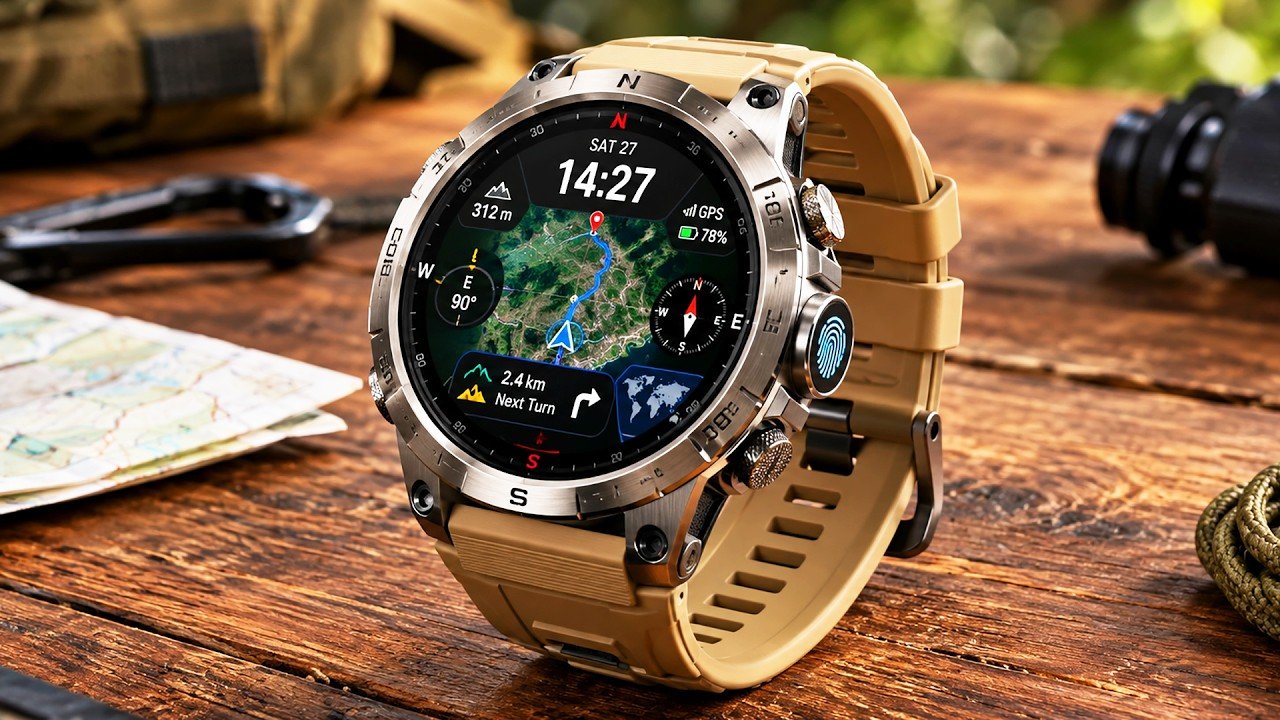
Shopping for a new smartwatch can feel like choosing a tiny computer for your wrist. Today’s models can track workouts, monitor sleep, show messages, handle calls, provide navigation, and connect with your favorite apps. The hard part is knowing which features actually matter to you.
This guide looks at nine smartwatches with different strengths. Some focus on iPhone integration. Others are built for Android, serious fitness, long battery life, or everyday style. The goal is not to find one watch for everyone. It is to help you find the watch that fits the way you live, work, and share your life online.
Table of Contents
Buying Guide: What Should You Look For?
Before comparing models, think about your phone, daily routine, fitness goals, and budget. A watch that works beautifully with an iPhone may not offer the same experience with an Android phone. Battery life also matters if you dislike charging every night.
For social media users, convenience can be just as important as fitness. Notifications, quick replies, music controls, camera controls, calls, and a comfortable design can make a watch useful throughout the day.
What Is a Smartwatch?
A connected watch combines traditional timekeeping with software, sensors, and smartphone connectivity. Depending on the model, it can track steps, heart rate, sleep, workouts, GPS routes, and other wellness information.
Many models also let you read notifications, control music, answer calls, use voice assistants, make payments, and access apps. In simple terms, a smartwatch puts useful parts of your phone on your wrist.
The best smartwatch for you depends on your phone and your priorities. There is no single model that is perfect for every person.
The 9 Best Smartwatches to Consider in 2026
1. Apple Watch Series 11
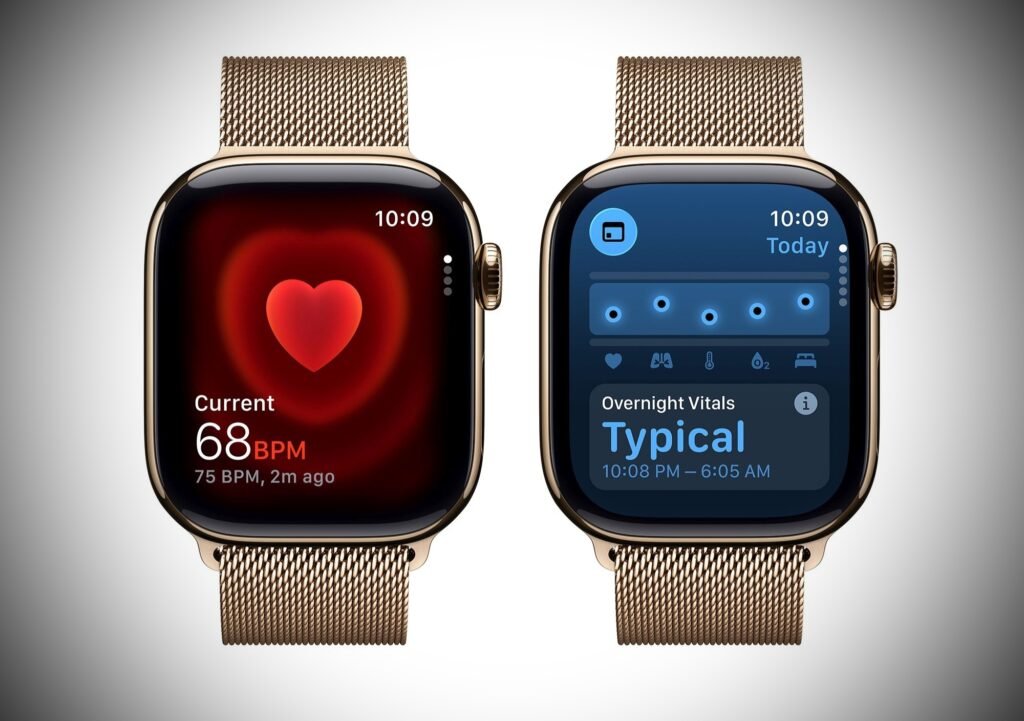
Apple Watch Series 11 is a strong choice for people who use an iPhone every day. Apple lists features such as sleep score, ECG, heart-rate notifications, cycle tracking, sleep apnea notifications, and hypertension notifications. It also offers up to 24 hours of normal battery life and fast charging.
The watch works especially well for people who want messages, calls, fitness tracking, Apple Wallet, and other iPhone features close at hand. Its slim design and range of case and band options also make it easy to match with casual or work outfits.
For social media users, the biggest advantage is the connected Apple experience. You can check notifications quickly without constantly reaching for your phone.
2. Samsung Galaxy Watch8

Samsung Galaxy Watch 8 is designed around the Android experience, with particularly close integration with Samsung phones. Samsung highlights its thin design, 3 nm processor, health coaching, sleep features, and Galaxy AI tools.
It is a good fit if you want a modern-looking watch that combines everyday notifications with health and fitness features. The software experience is also appealing for people who already use Samsung services.
If you want a wearable that feels like an extension of a Galaxy phone, this model deserves a close look.
3. Google Pixel Watch 4
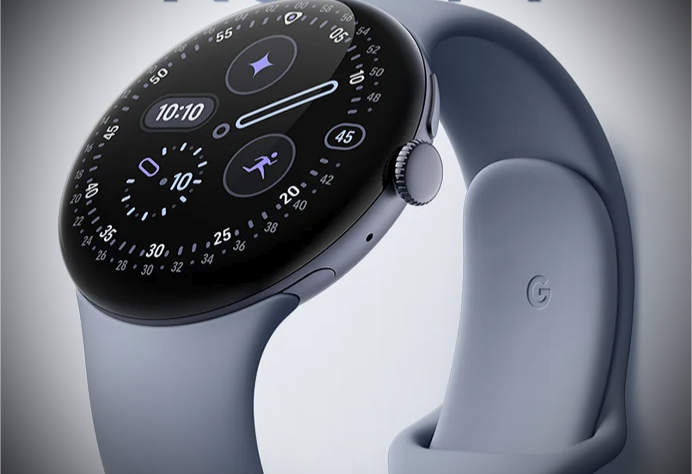
Google Pixel Watch 4 is aimed at Android and Pixel users. Google says the watch offers 41 mm and 45 mm options, dual-frequency GPS, an AMOLED display with up to 3,000 nits peak brightness, and up to 30 or 40 hours of battery life depending on size.
Health and fitness features include sleep tracking, stress information, skin temperature, SpO2, ECG-related heart rhythm tools, and workout tracking. Gemini also provides an AI assistant experience on the watch.
For people who want Google services in a polished wearable, Pixel Watch 4 is one of the most interesting choices to explore.
4. Garmin Venu 4
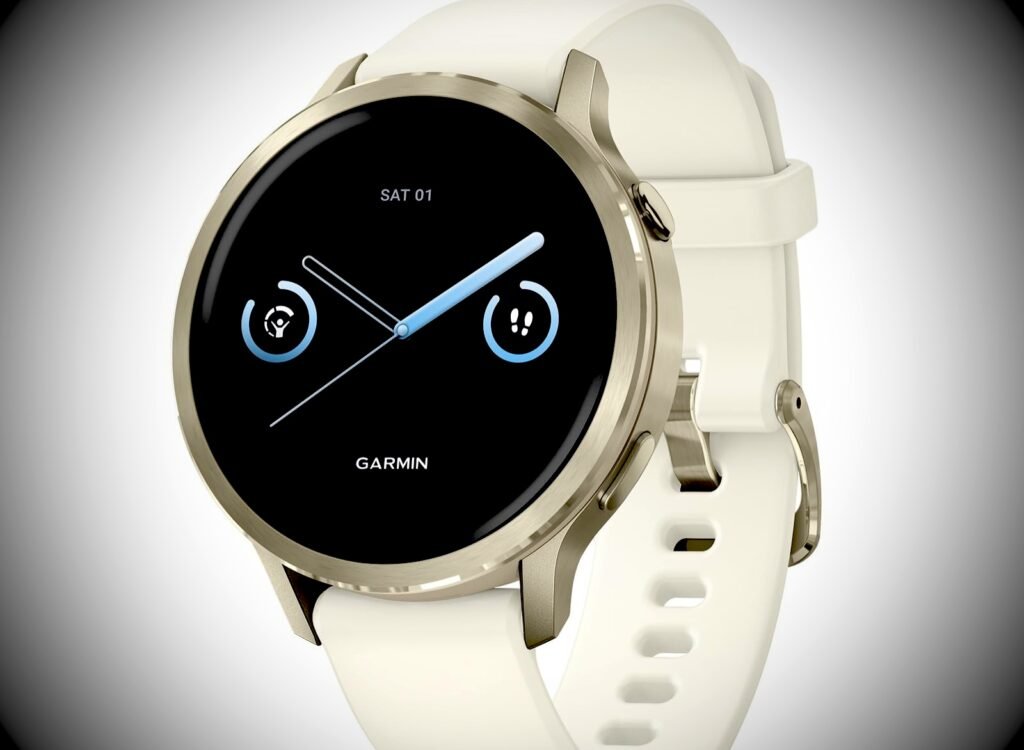
Germin Venu 4 takes a fitness-first approach without looking like a specialized sports gadget. Garmin says it includes health status, HRV, sleep insights, training features, women’s health tracking, ECG, Garmin Pay, music storage, and multi-band GPS.
Battery life is another major reason to consider it. Garmin lists up to 10 days for the 41 mm model and up to 12 days for the 45 mm model in its standard watch mode.
People searching for a “germin smartwatch” are often looking for Garmin products, especially for fitness and outdoor use. If that is your goal, Venu 4 offers a balanced mix of everyday smart features and training tools.
5. Amazfit Balance 2
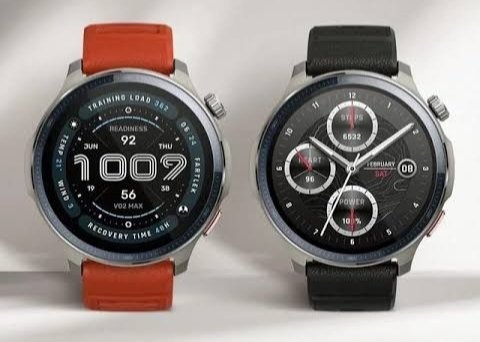
Amazfit Balance 2 stands out for battery life and multisport tracking. Amazfit lists more than 170 sports modes, dual-band GPS, sapphire glass, sleep and recovery tracking, voice control through Zepp Flow, and up to 21 days of typical battery life.
It also works with both iPhone and Android devices. That makes it interesting for people who want flexibility without being locked into one phone ecosystem.
If you spend a lot of time exercising, traveling, or outdoors, the long battery life can be more convenient than charging every night.
6. Apple Watch Ultra 3
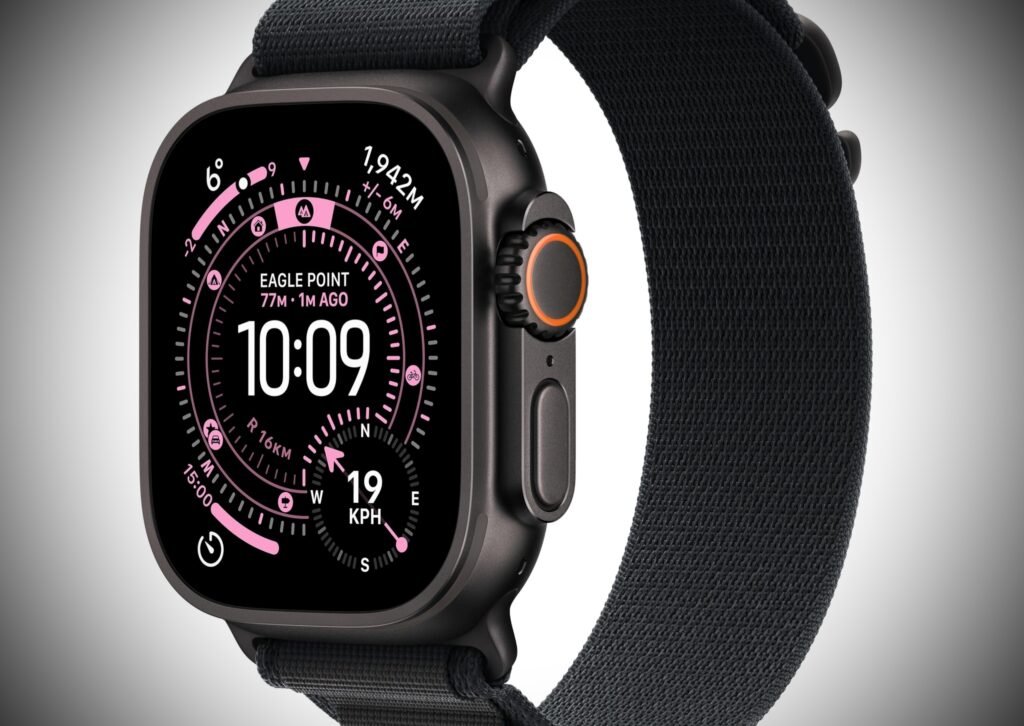
Apple Watch Ultra 3 is designed for people who want a tougher Apple wearable with outdoor-focused features. It makes sense for users who enjoy hiking, running, swimming, or other activities where durability and battery capacity matter.
It also keeps the core Apple ecosystem, so it can handle notifications, calls, workouts, navigation, and other connected tasks. If you want an Apple Watch but prefer a more rugged design, Ultra 3 is worth researching.
7. Garmin fēnix 8 Pro
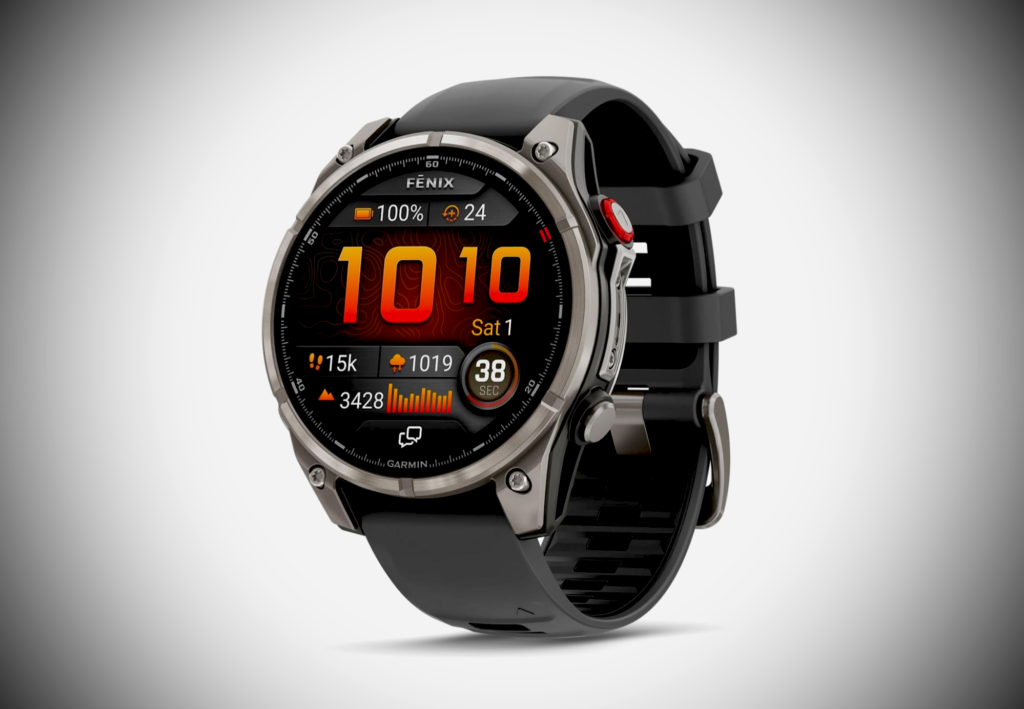
Garmin fēnix 8 Pro is aimed at people who want advanced outdoor and training tools. Garmin’s lineup includes mapping, multi-band GPS, training readiness, music, Garmin Pay, and long battery options depending on the configuration.
This is a more specialized choice than a basic everyday watch. It can make sense for runners, hikers, cyclists, and outdoor enthusiasts who want detailed activity data and navigation.
8. Fitbit Sense 2
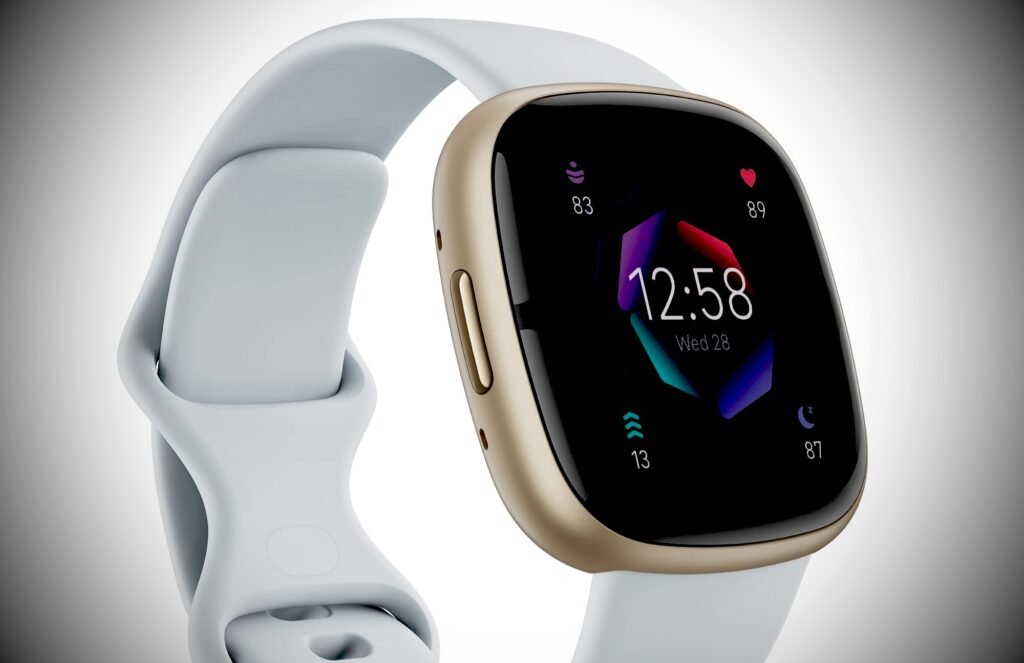
Fitbit Sense 2 remains relevant for people who put wellness and everyday health tracking ahead of advanced sports features. It focuses on activity, sleep, stress, heart health, and other personal wellness data.
Its straightforward approach can appeal to people who want useful health information without learning a large set of training metrics. Check current phone compatibility and feature availability before buying, since software support can change over time.
9. Withings ScanWatch 2

Withings ScanWatch 2 takes a different approach. It looks more like a traditional analog watch while adding connected health features.
That makes it attractive to users who do not want a bright touchscreen on their wrist all day. It can be a nice option for work outfits, dinners, and people who prefer a classic watch style.
Which Watch Is Best for iPhone Users?
If you use an iPhone, Apple Watch models offer the most direct Apple ecosystem experience. Apple Watch Series 11 is a natural everyday option, while Ultra 3 is aimed at users who want a more rugged design.
Amazfit Balance 2 is another option because it supports iOS as well as Android. However, compatibility does not always mean every feature works identically across both platforms. Always check the current compatibility details before purchasing.
Which Is the Best Smartwatch for Women?
The best smartwatch for women is not necessarily a smaller watch or a model marketed specifically to women. Fit, comfort, health features, battery life, band choices, and phone compatibility matter more.
For a smaller wrist, look for multiple case sizes and adjustable bands. Apple Watch Series 11, Garmin Venu 4, and Google Pixel Watch 4 all offer size choices that can make fit easier.
Women may also value cycle tracking, sleep insights, activity monitoring, and a design that works with both workout clothes and everyday outfits. The right choice depends on which of these features you actually plan to use.
What About an Authentic Louis Vuitton Smartwatch?
People searching for an “authentic Louis Vuitton smartwatch” are usually looking for luxury design combined with connected features. Louis Vuitton has produced connected watches in its Tambour Horizon line. The brand also currently presents the Tambour Horizon Light Up Connected Watch with customizable watch faces, travel features, notifications, calls, music, and camera controls.
If you are considering a luxury connected watch, verify the exact model, seller, warranty, software compatibility, and service options. Be especially careful with marketplace listings that use words such as “authentic” without providing clear proof of origin.
Louis Vuitton itself provides documentation for its Tambour Horizon connected watches and advises owners to keep the phone and watch updated.
A Simple Checklist Before You Buy
If you are comparing the best smartwatch 2026 options, make a short list of your must-have features first. Ask yourself whether you need cellular service, advanced GPS, sleep tracking, contactless payments, or a bright screen. Then decide what you can comfortably spend.
It also helps to think about how the watch will look in your photos and videos. A comfortable band, readable display, and easy controls can make your smartwatch more useful when you are creating or sharing content.
How to Choose the Right Wearable for Your Lifestyle
Start with your phone. This is the first filter. iPhone users should pay close attention to Apple compatibility. Android users have more choices, including Samsung, Google, Garmin, and Amazfit.
Next, decide how often you exercise. Casual users may only need steps, heart rate, sleep, notifications, and basic workout tracking. Runners and outdoor athletes may need accurate GPS, training metrics, navigation, and longer battery life.
Think about charging too. A daily charging routine may be fine if you already charge your phone every night. If you travel often, a model with several days of battery life can be much easier.
Finally, consider design. You will probably wear your watch for many hours. A comfortable case, a readable display, and a band you like can matter just as much as the processor.
Smartwatch Features That Matter Most
Health tracking is now one of the biggest reasons people buy a connected watch. Depending on the model, you may find heart-rate monitoring, ECG, sleep tracking, blood oxygen measurements, skin temperature, stress tracking, and cycle features.
Fitness tracking is another major category. GPS, workout modes, recovery information, training readiness, and heart-rate data can help active users understand their routines.
Smart features can also save time. Calls, texts, notifications, music controls, mobile payments, navigation, voice assistants, and camera controls reduce the number of times you need to pull out your phone.
Battery life deserves special attention. A watch with impressive features can still become frustrating if you constantly need to recharge it.
How Social Media Users Can Use a Wearable
For social media users, a watch can act as a quick notification screen. You can see incoming messages, calendar reminders, and app alerts without opening your phone every few minutes.
Some models also support camera controls. That can be useful when taking group photos, short videos, or content where your phone needs to be positioned farther away.
Music controls are helpful too. You can change tracks while walking, working out, or recording content without touching your phone.
The key is to use these features as conveniences rather than distractions. A smartwatch should make your day easier, not fill your wrist with constant alerts.
Final Thoughts on the Best Smartwatch Choices for 2026
The best smartwatch in 2026 depends on the person wearing it. Apple users may prioritize ecosystem integration. Android users may care more about Samsung or Google features. Fitness-focused buyers may prefer Garmin, while people who want long battery life may look closely at Amazfit.
There is also no need to buy the most expensive watch. Start with the features you will actually use. Then compare compatibility, battery life, comfort, health tools, fitness features, and design.
The right smartwatch should fit naturally into your routine. When it does, it becomes more than a watch. It becomes a practical companion for communication, fitness, travel, and everyday life.
Frequently Asked Questions
Is a Smartwatch Worth Buying?
A smartwatch can be worth buying if you want quick access to notifications, fitness tracking, health information, calls, music controls, or other connected features. If you mainly want to tell time, a traditional watch may be enough.
What Is the Best Smartwatch for iPhone?
Apple Watch Series 11 is a strong choice for iPhone users because it is built around the Apple ecosystem. Other watches, including Amazfit models, can also work with iPhone, but feature support varies.
What Is the Best Smartwatch for Women?
There is no universal answer. Look for a comfortable case size, good band options, useful health features, suitable battery life, and compatibility with your phone. Garmin Venu 4, Apple Watch Series 11, and Pixel Watch 4 are worth comparing.
Is Garmin Better Than Apple Watch?
They are designed with different priorities. Garmin puts a strong emphasis on fitness, training, GPS, and battery life. Apple focuses heavily on iPhone integration, apps, communication, and health features. Your phone and usage habits should guide the comparison.
How Long Does a Smartwatch Battery Last?
Battery life varies widely. Some models need charging about once a day, while fitness-focused watches can last many days. Amazfit Balance 2, for example, lists up to 21 days of typical use, while Apple Watch Series 11 lists up to 24 hours of normal use.
What Should I Check Before Buying a Smartwatch?
Check phone compatibility, battery life, case size, health features, fitness tools, water resistance, GPS, available apps, charging method, warranty, and ongoing software support. These details can have a bigger impact on daily use than a long list of headline features.

Technology has become an important part of everyday life. From smartphones and online banking to advanced medical equipment and artificial intelligence, new inventions are changing how we live, work, communicate, and entertain ourselves. Many tasks that once took hours can now be completed in minutes. People can also access information, connect with loved ones, and learn new skills from almost anywhere.
The top new technologies are not just changing businesses. They are also influencing our homes, schools, hospitals, workplaces, and social lives. Some technologies help us save time, while others improve safety, solve problems, and create new opportunities. Understanding these changes can help us make better decisions about the tools we use every day.
In this article, we explore eight important technologies that have changed human life. We will look at how they work, where people use them, and why they matter for the future.
Table of Contents
Top New Technologies That Are Transforming Everyday Life
Technology continues to develop as people search for better ways to solve everyday problems. Some innovations improve existing tools, while others introduce completely new ways of doing things.
Here are eight important technologies that have made a noticeable difference in modern society.
1. Artificial Intelligence: Making Everyday Tasks Easier

Artificial intelligence, commonly known as AI, is one of the most influential technologies in the modern world. It allows computer systems to perform tasks that usually require human intelligence. These tasks include understanding language, recognizing images, analyzing information, and identifying patterns.
AI is already part of many everyday activities. Voice assistants can answer questions, navigation apps can suggest faster routes, and email services can filter unwanted messages. AI-powered chatbots can also help customers find information without waiting for a human representative.
Businesses use AI to study customer behavior, organize large amounts of data, and improve decision-making. In healthcare, AI tools can assist professionals with medical image analysis and other clinical tasks.
Another reason AI stands out among the top new technologies is its ability to support creativity. People use AI-powered tools to generate ideas, edit images, summarize information, and improve their writing.
However, AI also creates challenges. Incorrect information, privacy concerns, and unfair automated decisions require careful attention. Human judgment remains essential, especially when decisions affect people’s health, finances, or rights.
The best approach is to treat AI as a helpful tool rather than a replacement for critical thinking.
2. Robotics and Automation: Changing How People Work
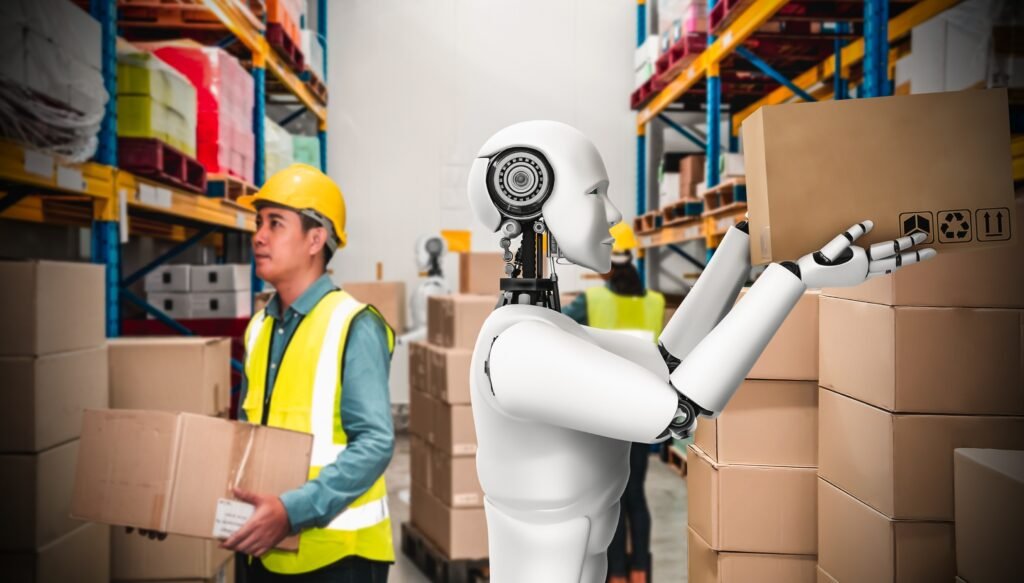
Robotics has changed how many industries manufacture products, move materials, and complete repetitive tasks. Modern robots can follow programmed instructions, respond to sensor data, and perform certain jobs with impressive precision.
Factories use industrial robots to assemble vehicles, package products, and handled materials. Warehouses use automated machines to move goods and support order fulfillment. These systems can improve consistency and reduce the need for people to perform physically demanding tasks.
Robotics also plays a growing role in healthcare. Some hospitals use robotic systems to assist surgeons with specific procedures. Other robots help transport supplies, disinfect rooms, or support rehabilitation.
Automation is especially useful when work involves dangerous conditions. Robots can inspect hazardous industrial areas, assist with disaster response, and explore locations that are difficult for humans to reach.
Still, automation can change employment opportunities. Some jobs may disappear, while others require new technical skills. Workers may need training to operate, maintain, and supervise automated systems.
Among the top new technologies, robotics shows how machines can support human work. The goal should be to improve productivity and safety while helping workers adapt to changing job requirements.
3. The Internet of Things: Connecting Everyday Devices
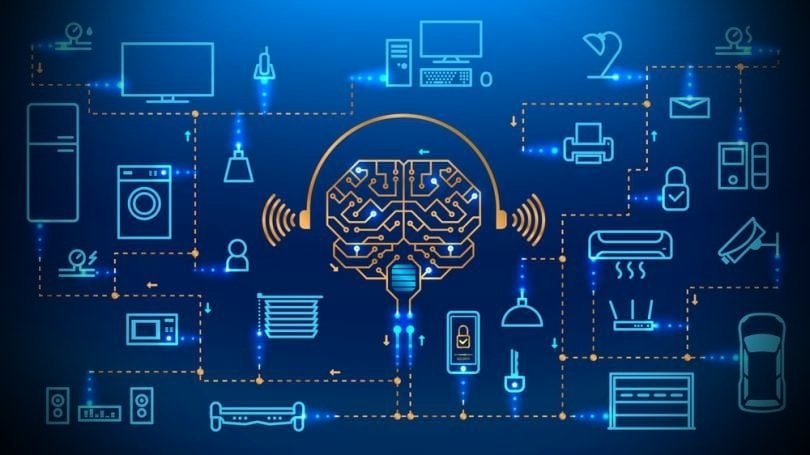
The Internet of Things, or IoT, refers to physical devices connected to the internet that collect and exchange information. These devices may include household appliances, security cameras, fitness trackers, industrial sensors, and smart thermostats.
Smart homes are one of the easiest ways to understand IoT. A homeowner can adjust room temperature using a smartphone, check a security camera remotely, or schedule lights to switch on automatically.
Wearable devices can track physical activity, heart rate, and sleep patterns. Depending on the device, this information may help users understand their habits and discuss relevant trends with healthcare professionals.
Businesses also rely on connected sensors. Factories can monitor equipment performance, farms can measure soil moisture, and delivery companies can track vehicles. This information helps organizations respond to problems before they become more serious.
These connected systems are useful, but they also introduce privacy and security risks. A poorly protected device could expose personal information or provide an entry point for attackers.
Users should choose trusted products, install updates, and secure their accounts with strong passwords and multifactor authentication where available.
As connected devices become more common, IoT will continue to influence how people manage their homes, businesses, and daily routines.
4. Renewable Energy Technology: Supporting a Cleaner Future

Energy powers nearly every part of modern life. Homes, transportation systems, factories, and communication networks all depend on reliable electricity and fuel.
Traditional energy sources have supported economic growth, but burning fossil fuels also produces greenhouse gas emissions. Renewable energy top new technologies offer additional ways to generate electricity while reducing dependence on fossil fuels.
Solar panels convert sunlight into electricity, while wind turbines use moving air to generate power. Hydropower produces electricity from flowing water. Other technologies, including geothermal energy, use heat from within the Earth.
Energy storage is another important development. Batteries can store electricity for later use, helping balance periods when solar or wind generation is low.
Electric vehicles are also changing transportation. They use electric motors instead of conventional combustion engines and can help reduce direct exhaust emissions. Their overall environmental impact still depends partly on electricity sources, battery production, and vehicle use.
Top new technologies and modern technology examples in the energy sector include smart electricity meters, advanced batteries, and systems that help manage power demand.
These solutions still face challenges, including installation costs, material requirements, and the need for better electricity infrastructure. Even so, continued progress can make energy systems more flexible and efficient.
Renewable energy is one of the top new technologies worth watching because it connects technological progress with environmental responsibility.
5. Medical Technology: Improving Healthcare and Treatment

Medical top new technology has transformed how healthcare professionals identify illnesses, monitor patients, and deliver treatment.
Modern imaging equipment, including MRI and CT scanners, helps doctors examine internal structures without relying solely on invasive procedures. Laboratory technologies can identify infections and measure important biological indicators.
Telemedicine has also expanded access to healthcare. Patients can consult healthcare professionals through video calls when remote appointments are suitable. This can be particularly helpful for people who live far from medical facilities or have difficulty traveling.
Wearable health devices provide another example of top new technological progress. Some can measure heart rate, detect irregular heart rhythms, or record changes in activity. These measurements can offer useful information, although consumer devices do not replace professional diagnosis.
Researchers are also exploring personalized medicine. By considering factors such as genetics, medical history, and individual characteristics, healthcare teams may be able to select treatments that better fit certain patients.
Robotic assistance, advanced prosthetics, and computer-supported medical research are expanding what healthcare technology can accomplish.
However, access remains uneven. Medical equipment can be expensive, and digital health services require reliable internet access and appropriate privacy protections.
Healthcare innovation matters most when it helps people receive safe, effective, and accessible care. Top new technology can support that goal, but trained professionals and informed patients remain central to good healthcare.
6. Cloud Computing: Making Information Available Anywhere

Cloud computing allows people and businesses to use computing resources over the internet instead of depending entirely on local computers or servers.
Many familiar services rely on cloud top new technology. Online storage platforms let users save photographs, documents, and videos. Collaboration tools allow teams to edit files together, even when members work from different locations.
Cloud computing has changed education and business as well. Students can access learning materials online, while companies can use hosted software without building every part of their own technology infrastructure.
One major advantage is flexibility. Organizations can increase or decrease their computing resources according to demand. This can be more practical than purchasing expensive equipment for occasional needs.
Cloud services also support software development, online entertainment, data analysis, and AI applications. Many digital services would be harder to deliver at scale without cloud infrastructure.
However, cloud computing is not completely risk-free. Internet outages can interrupt access, and organizations must consider data security, privacy, service costs, and provider reliability.
Users should understand where important information is stored and maintain backups when necessary.
Cloud computing may not always be visible, but it supports many of the digital activities people now consider normal. Its influence makes it one of the most important technologies in everyday life.
7. Gaming Technology: Creating More Interactive Experiences

Gaming has changed significantly since the early days of simple arcade machines and basic home consoles. Today’s games can feature detailed environments, realistic physics, online multiplayer systems, and interactive stories.
Powerful graphics processors help developers create more detailed characters and landscapes. Faster internet connections make online gaming more responsive, while cloud gaming services allow some games to run on remote servers instead of relying entirely on local hardware.
Virtual reality, or VR, adds another dimension by placing players inside computer-generated environments. With compatible equipment, players can look around and interact with virtual spaces in a more immersive way.
Augmented reality, or AR, combines digital elements with the real world. Depending on the application, users can see virtual objects overlaid on their surroundings through a compatible phone or headset.
These developments are also useful beyond entertainment. Simulation games and virtual environments can support training, education, and certain professional activities.
How Top New Technologies Are Changing Gaming Altwaygamers
Discussions about how top new technologies are changing gaming altwaygamers highlight the growing relationship between gaming, online communities, and digital innovation.
Modern gaming is no longer limited to playing alone in front of a screen. Players can communicate with friends, participate in tournaments, stream gameplay, and share their achievements with audiences around the world.
AI can help developers create smarter non-player characters and assist with game testing. Cloud technology can make certain games accessible across different devices, while improved accessibility settings can help more people enjoy gaming.
Social media has also changed gaming culture. Short gameplay clips, live streams, reviews, and online discussions allow players to discover games and connect with other fans.
However, gaming top new technology has its challenges. Excessive screen time, online harassment, privacy concerns, and in-game spending can affect players. Developers, parents, and gaming communities all have a role in encouraging safer habits.
Gaming demonstrates how top new technology can combine entertainment, creativity, communication, and social interaction.
8. Oil and Gas Technology: Making Energy Production More Efficient

Oil and gas remain important parts of the global energy system. Top new technologies helps companies explore underground resources, operate equipment, monitor production, and improve workplace safety.
Modern exploration often uses advanced seismic imaging. These techniques help geologists interpret underground rock formations and assess potential drilling locations.
Sensors and automated monitoring systems can collect information about pressure, temperature, equipment performance, and production conditions. Engineers use these measurements to identify unusual changes and respond to operational problems.
Artificial intelligence and data analysis can also support maintenance planning. By examining equipment data, companies may identify warning signs before certain components fail.
Top New Technologies in Oil and Gas Production
The development of new technologies in oil and gas production includes digital monitoring, remote operations, advanced drilling methods, and improved equipment inspection.
For example, remote monitoring systems can help specialists supervise operations from control rooms rather than being physically present at every location. Drones and robotic inspection tools can also help examine certain difficult-to-reach structures.
Digital models of industrial equipment and facilities may allow engineers to test scenarios and study operational performance before making changes to real systems.
Top new technologies can improve efficiency and help reduce some operational risks. However, they do not eliminate the possibility of accidents, equipment failures, or environmental damage.
Cybersecurity is another important concern because connected industrial systems may be vulnerable to digital attacks. Companies need strong security practices, regular inspections, and clear emergency procedures.
Top new technology can improve oil and gas operations, but responsible management is essential. The industry must also address methane emissions, spills, worker safety, and the wider environmental effects of fossil fuel production.
The Future of Top New Technologies
Top new technologies discussed above show how innovation can influence almost every area of modern life. However, their development is far from complete.
AI systems may become more useful in research, education, and everyday productivity. Medical technology could support earlier disease detection and more personalized treatment. Robotics may help address labor shortages and improve safety in demanding workplaces.
Energy storage, smart electricity networks, and renewable power systems may also become more important as countries work to modernize their energy infrastructure.
Meanwhile, improvements in internet access and digital services could create new opportunities for remote learning, online businesses, and global communication.
Still, technological progress should not be measured only by speed or convenience. Privacy, affordability, accessibility, safety, and environmental impact matter too.
People need the skills to use new tools responsibly. Businesses need to protect information and consider how automation affects workers. Governments and communities must also help ensure that technological benefits are not limited to a small group.
The most useful innovations will be those that solve real problems and improve people’s lives without creating unnecessary risks.
Conclusion: How Top New Technologies Continues to Change Human Life
The top new technologies have changed how people communicate, work, travel, receive medical care, produce energy, and enjoy entertainment. Artificial intelligence, robotics, connected devices, renewable energy, medical technology, cloud computing, gaming systems, and industrial innovations all play important roles in modern society.
Top new technologies offers different benefits. Some save time, others improve safety, and many create opportunities that were difficult to imagine just a few decades ago.
At the same time, every major innovation brings questions about privacy, security, cost, and responsible use. Understanding both the benefits and limitations of technology helps people make informed choices.
As these tools continue to develop, staying curious and learning new skills will become increasingly valuable. You do not need to be a technology expert to understand these changes. Start by exploring the tools you use every day and consider how they can help you live, learn, and work more effectively.
The future of technology will be shaped not only by what people invent, but also by how wisely they choose to use it.
Frequently Asked Questions (FAQs)
1. What are the top new technologies changing human life?
Some of the most influential top new technologies include artificial intelligence, robotics, the Internet of Things, renewable energy systems, medical technology, cloud computing, advanced gaming systems, and digital tools used in oil and gas production.
These technologies affect communication, healthcare, entertainment, business operations, and energy production.
2. How does artificial intelligence help people in everyday life?
Artificial intelligence helps people complete tasks such as finding information, navigating routes, organizing messages, analyzing data, and creating digital content.
It can save time and support decision-making, but users should verify important information because AI systems can make mistakes.
3. What are some top new technologies and modern technology examples?
Top new technologies and modern technology examples include smartwatches, voice assistants, electric vehicles, solar panels, robotic equipment, cloud storage, virtual reality headsets, and connected home security systems.
These tools show how technology can make everyday tasks easier and improve access to information and services.
4. How are top new technologies changing gaming?
Top new technologies are making games more interactive through improved graphics, AI-powered characters, virtual reality, augmented reality, and online multiplayer experiences.
Cloud gaming and live streaming are also changing how people access games and connect with other players.
5. Why is cloud computing important?
Cloud computing allows users to store information, access software, and collaborate online without relying entirely on local hardware.
It helps businesses scale their services and enables people to access files and applications from different devices.
6. How are top new technologies used in oil and gas production?
Oil and gas companies use seismic imaging, industrial sensors, automated monitoring, AI-assisted analysis, and remote inspection tools.
Top new technologies can help improve operational efficiency, monitor equipment, and identify certain risks earlier.
7. Can top new technologies create problems?
Yes. Technology can introduce privacy risks, cybersecurity threats, job disruptions, excessive screen time, and environmental challenges.
Responsible design, proper training, effective security measures, and informed use can help reduce these problems.
8. What top new technologies could become more important in the future?
AI, robotics, renewable energy, advanced batteries, medical innovation, and connected digital systems are likely to remain important areas of development.
Their future impact will depend on continued research, affordability, public acceptance, and responsible implementation.

Running a business today means keeping up with changing customer expectations, new tools, and growing competition. Whether you own a small business or manage a growing company, the right technology can make daily operations easier. It can also help your team work faster, protect important information, and deliver better customer service.
However, choosing the right tools is not always easy. With so many software options, devices, and digital services available, it is easy to spend money on technology that does not solve your actual problems. The smarter approach is to focus on the technology needs that support your business goals.
In this guide, we will explore seven important technology priorities for businesses of all sizes. You will learn how to choose practical tools, avoid unnecessary expenses, and build a technology setup that supports long-term growth.
Table of Contents
Technology Needs: Why Every Business Should Set Clear Priorities
Technology plays a major role in how businesses communicate, manage information, serve customers, and compete in the market. The right solutions can reduce repetitive tasks, improve accuracy, and give employees more time to focus on valuable work.
For example, a customer relationship management system can help your sales team track leads. Cloud storage can make important files accessible to authorized employees. Strong cybersecurity tools can protect sensitive customer and company information.
However, every business has different requirements. A local retail store may need reliable payment processing and inventory software. A marketing agency may depend more on project management tools, cloud collaboration, and social media analytics.
Understanding your priorities helps you make better decisions. Instead of buying every new tool that catches your attention, focus on solutions that address real challenges.
A clear plan also makes it easier to measure results. You can compare costs, monitor productivity, and decide whether a particular investment delivers enough value.
1. Reliable Hardware and Business Equipment
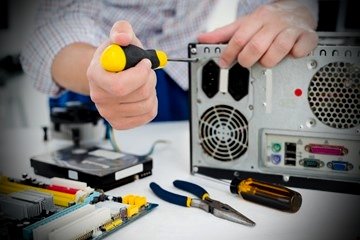
Your business technology setup starts with reliable hardware. Computers, laptops, monitors, printers, routers, and mobile devices all affect how smoothly your team works.
Outdated or unreliable equipment can slow down daily tasks. Employees may struggle with software that freezes, files that take too long to open, or devices that cannot handle demanding workloads.
Choose Equipment That Fits Your Work
Before purchasing new devices, consider what your employees do every day.
For example:
- Office teams: Reliable computers, monitors, webcams, and headsets support everyday work.
- Remote employees: Lightweight laptops, secure Wi-Fi access, and quality webcams make communication easier.
- Retail businesses: Barcode scanners, receipt printers, and payment terminals help manage transactions.
- Creative teams: Computers with sufficient memory and processing power support design, video editing, and other demanding tasks.
You do not always need the newest equipment. Choose devices that meet your current requirements and allow room for reasonable growth.
Plan for Maintenance and Replacement
Hardware needs regular maintenance. Keep operating systems updated, remove unnecessary applications, and replace damaged equipment when needed.
It is also helpful to maintain a replacement schedule. This reduces the risk of unexpected failures and makes budgeting more predictable.
Reliable equipment is one of the most practical technology needs because nearly every business depends on it to complete daily work.
2. Strong Cybersecurity and Data Protection

Cybersecurity should be a priority for every business, regardless of size. Small companies can face phishing emails, stolen passwords, ransomware, and unauthorized access just as larger organizations can.
A single security incident may interrupt operations, expose customer information, and damage your reputation. Prevention is usually less expensive than recovering from a serious breach.
Protect Your Business Accounts
Start with basic security measures that employees can follow consistently.
Use strong, unique passwords for business accounts. A password manager can help your team create and store them securely.
Enable multifactor authentication wherever possible. This adds another verification step when someone signs in.
You should also limit access to sensitive information. Employees should only have permission to view the files and systems required for their roles.
Back Up Important Business Data
Regular backups help you recover important files after accidental deletion, equipment failure, or a cyberattack.
Keep protected backups separate from your primary systems. Test your recovery process occasionally to make sure your files can actually be restored.
Employee training matters, too. Teach your team how to recognize suspicious links, unexpected attachments, and unusual login requests.
These security practices address essential technology needs while helping your business build trust with customers.
3. Cloud Storage and Collaboration Tools
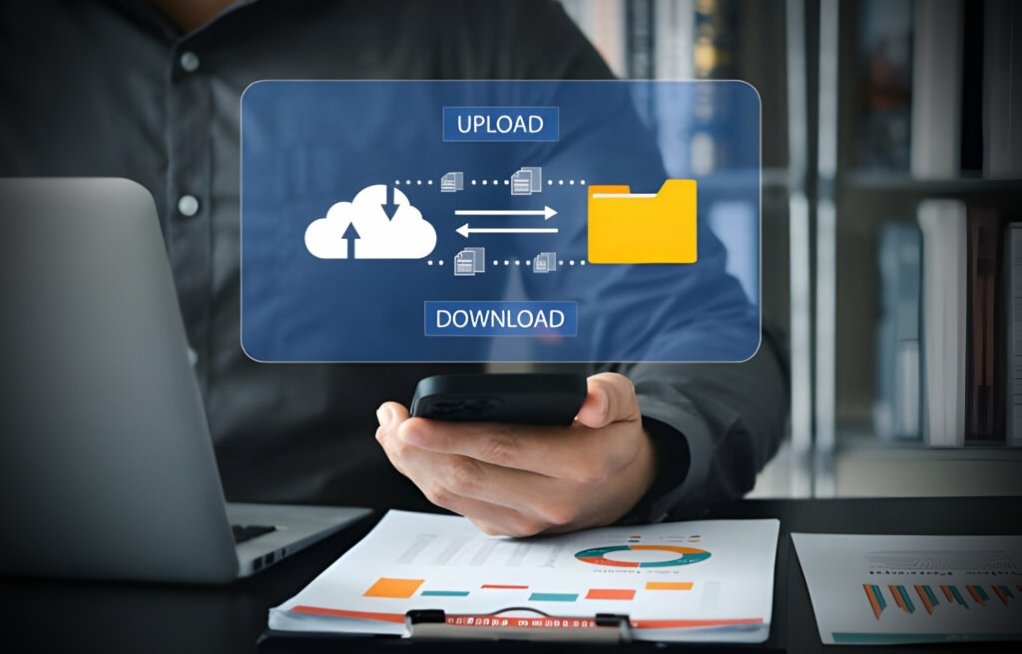
Modern businesses often work with employees, clients, contractors, and partners in different locations. Cloud technology makes it easier to share information and work together without relying on a single office computer.
Cloud storage allows authorized users to access files through the internet. Collaboration platforms can also support messaging, video meetings, shared documents, and team discussions.
Make Files Easier to Access
Imagine a team member needs an important proposal while working from home. If the file is stored only on an office computer, accessing it may take unnecessary time.
With a properly configured cloud storage service, the employee can retrieve the document securely from an approved device.
Shared folders also help teams organize documents and reduce the confusion caused by multiple file versions.
Choose Tools That Work Together
Before subscribing to a collaboration platform, review its features and integrations.
Consider whether it supports your existing email service, calendar, document editor, and project management software.
You should also review access controls, storage limits, backup options, and subscription costs.
Cloud tools are especially useful for small business technology needs because they can reduce dependence on expensive on-site infrastructure. However, reliable internet access and appropriate security settings remain important.
4. Business Software and Workflow Automation

Business software helps teams manage routine tasks with greater consistency. Depending on your industry, useful tools may include accounting software, inventory systems, customer relationship management platforms, and project management applications.
The goal is not to automate everything. It is to identify repetitive tasks that consume time without adding much value.
Start With Your Most Time-Consuming Tasks
Look for work that employees repeat every day or week.
Examples include sending appointment reminders, creating invoices, updating spreadsheets, assigning tasks, and preparing routine reports.
Automation tools can handle many of these activities. This gives employees more time to focus on customer relationships, planning, and problem-solving.
For instance, an automated invoicing system can generate invoices from approved sales records. A project management platform can notify employees when a task is assigned or approaching its deadline.
Avoid Paying for Unnecessary Features
Before selecting software, list the problems you want it to solve.
Compare available options based on usability, essential features, integration support, customer service, and total cost.
A complicated system may create more work if employees find it difficult to use. Start with a practical solution, train your team, and expand its use when needed.
A business technology needs assessment can help identify which processes deserve attention first. It also helps prevent businesses from investing in overlapping tools that perform the same functions.
5. Customer Relationship Management and Communication

Customers expect businesses to respond promptly, provide accurate information, and deliver consistent service. Technology can help you meet those expectations without making communication feel impersonal.
A customer relationship management (CRM) system stores useful information about prospects and existing customers. Depending on the platform, it can track conversations, sales opportunities, follow-up reminders, and customer preferences.
Keep Customer Information Organized
Without a central system, customer details may be scattered across email inboxes, spreadsheets, and personal notes.
This makes it harder for employees to understand previous conversations or identify the next step in a sales process.
A CRM gives your team a shared view of relevant customer information. It can also help sales representatives follow up with potential customers at the right time.
Choose a system that matches the size and complexity of your business. A small company may only need contact management, reminders, and basic sales tracking.
Improve Communication Across Channels
Your customers may contact you through email, phone calls, website forms, or social media.
A well-planned communication process helps your team respond consistently across these channels.
For businesses that receive many inquiries, shared inboxes and customer support platforms can reduce missed messages.
These technology needs are particularly important for businesses that rely on repeat purchases, customer referrals, or long-term relationships.
Remember that technology should support genuine communication, not replace it. Personal responses and thoughtful service still matter.
6. Website, Social Media, and Digital Marketing Tools
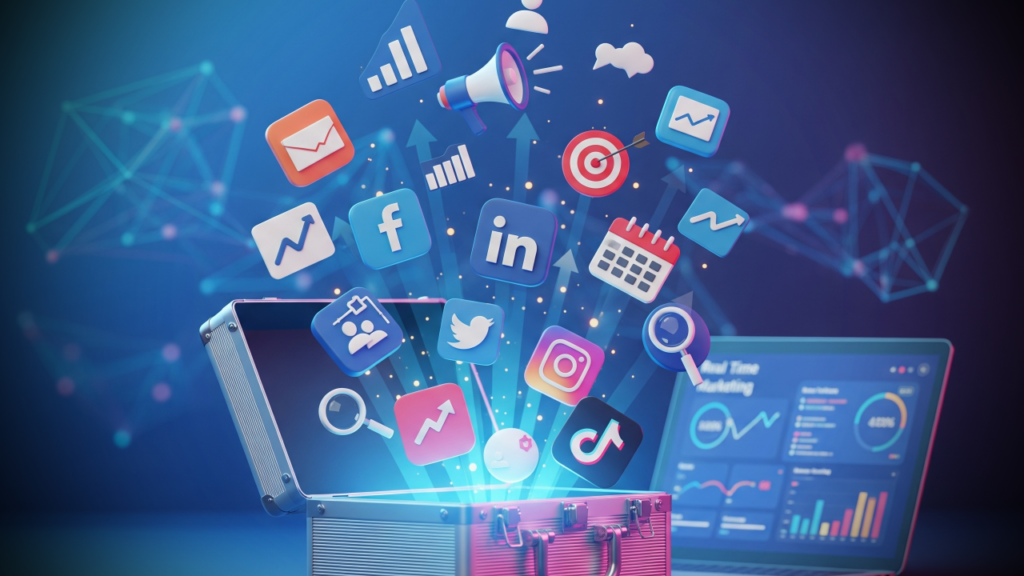
Your online presence often shapes a customer’s first impression of your business. A clear website, active social media profiles, and useful digital content can help people discover your products or services.
You do not need a large marketing department to establish a strong online presence. You need a clear plan and tools that make your efforts easier to manage.
Build a Website That Works for Customers
Your website should explain what your business offers, who you serve, and how people can contact you.
Make sure it works well on mobile devices. Many visitors browse websites on their phones, so pages should load quickly and remain easy to navigate.Include clear calls to action, such as requesting a quote, booking an appointment, or purchasing a product.
Basic search engine optimization can also improve your website’s visibility. Use descriptive page titles, helpful content, relevant headings, and clear page URLs.
Use Social Media Management Tools
Social media can help businesses connect with their audience, answer questions, share updates, and promote products.
Scheduling tools allow you to prepare posts in advance and maintain a consistent publishing schedule. Analytics tools can show which posts attract attention, generate clicks, or encourage meaningful engagement.
Focus on the platforms your audience actually uses. Trying to maintain every social network can waste time if your customers are active on only one or two channels.
Review your results regularly. Look beyond likes and follower counts to measure website visits, inquiries, leads, and sales.
For businesses with limited marketing budgets, these technology needs can improve visibility while helping teams use their time more effectively.
7. Data Analytics and Business Reporting

Making business decisions based on assumptions can lead to unnecessary expenses and missed opportunities. Data analytics tools help you understand what is happening across your operations.
You can use reports to track sales, customer behavior, website performance, marketing results, inventory levels, and employee productivity.
Focus on Useful Business Metrics
Start by identifying the numbers that matter most to your goals.A retail business may track monthly sales, inventory turnover, and average order value.
A service provider may monitor lead conversion rates, customer retention, and project completion times.
A social media marketing team may measure engagement rates, referral traffic, qualified leads, and campaign conversions.You do not need dozens of reports to make better decisions. A small set of relevant metrics can provide a clearer picture of business performance.
Turn Reports Into Action
Collecting data is only the first step. The real value comes from using it to make informed changes.
For example, website analytics may reveal that visitors frequently leave a particular landing page. Your team can investigate the page content, loading speed, or call to action.
Sales reports may show that a specific product performs better during certain months. You can use that information to plan inventory and marketing campaigns.
These technology needs help businesses recognize patterns, measure progress, and adjust their strategies based on evidence.
Protect the data you collect, too. Limit access to sensitive information and follow applicable privacy requirements when gathering or analyzing customer data.
How to Assess Your Business Technology Needs
Knowing which tools exist is helpful, but choosing the right ones requires a closer look at your current operations.
A business technology needs assessment helps you identify gaps, compare priorities, and make informed purchasing decisions.Use these steps to create a practical plan.
Step 1: Review Your Current Technology
List the hardware, software, subscriptions, and digital services your business already uses.
Record their costs, purpose, renewal dates, and main limitations.Check whether different tools duplicate the same functions. Removing unnecessary subscriptions may free up money for more valuable improvements.
Step 2: Identify Your Biggest Challenges
Ask employees which tasks take too long or create repeated problems.
You might discover that customer information is difficult to find, invoices take too long to prepare, or team members struggle to share files.
Write down each problem and estimate how often it occurs.
Step 3: Set a Realistic Budget
Include more than the initial purchase price.
Consider monthly subscriptions, installation, employee training, maintenance, security, and future upgrades.
For small business technology needs, affordable tools that solve specific problems are often a better starting point than expensive systems with features your team will rarely use.
Step 4: Compare Available Solutions
Evaluate potential tools using consistent criteria.
Look at ease of use, security, customer support, integration options, scalability, and total ownership costs.
Whenever possible, test a free trial or demonstration before committing to a long-term contract.
Step 5: Measure the Results
After implementing a solution, compare its performance with your original goals.
Did it reduce manual work? Did employees complete tasks faster? Did customer response times improve?
Review the results after an appropriate period and make adjustments when necessary.
A regular assessment keeps your technology strategy aligned with your changing business goals.
Common Technology Mistakes Businesses Should Avoid
Even useful tools can create problems when businesses choose or manage them poorly.
Here are several mistakes worth avoiding.
Buying tools without a clear purpose: Every purchase should solve a defined problem or support a specific business goal.
Ignoring employee training: Even the best software can fail to deliver value if employees do not understand how to use it.
Overlooking cybersecurity: Strong passwords, access controls, updates, and backups should be part of everyday operations.
Using too many disconnected applications: Excessive tools can create duplicate records, inconsistent information, and unnecessary subscription costs.
Failing to review technology regularly: Business requirements change. A solution that worked well two years ago may no longer meet your needs.
Choosing price over overall value: The cheapest option may lack important security features or require expensive workarounds. Compare the complete cost and benefits before deciding.
Avoiding these mistakes can help you manage business technology needs more effectively and get greater value from your investments.
Frequently Asked Questions About Technology Needs
1. What are the most important technology needs for a business?
The most important priorities usually include reliable hardware, cybersecurity, cloud storage, business software, customer communication tools, digital marketing, and data analytics.
The right combination depends on your industry, company size, budget, and business goals.
2. Why are technology needs important for small businesses?
Technology needs to helps small businesses manage daily operations, communicate with customers, protect information, and compete more effectively.
The right tools can reduce repetitive work and improve productivity without requiring a large team or expensive infrastructure.
3. How can I identify my business technology needs?
Start by reviewing your current tools, employee workflows, security practices, and business goals.
Identify the biggest operational problems, compare possible solutions, and prioritize investments based on their expected benefits and costs.
A business technology needs assessment can make this process more organized.
4. How much should a small business spend on technology?
There is no single budget that works for every business.
Your spending depends on your industry, number of employees, security requirements, existing equipment, and growth plans.
Start with essential tools, calculate the full cost of ownership, and increase spending when measurable benefits justify the investment.
5. Which technology tools help improve business productivity?
Project management platforms, cloud collaboration services, accounting software, CRM systems, and workflow automation tools can all improve productivity.
Choose solutions based on the tasks your team performs most often and the problems you want to solve.
6. How often should a business review its technology?
Review your technology at least once a year and whenever your business experiences significant changes.
New employees, additional locations, changing security risks, and expanding customer demands may create new requirements.
Regular reviews help keep your systems useful, secure, and cost-effective.
7. What are the biggest technology challenges for small businesses?
Common challenges include limited budgets, cybersecurity risks, outdated equipment, employee training, software compatibility, and choosing between too many available solutions.
A clear technology plan helps businesses address these challenges in order of importance rather than trying to solve everything at once.
Final Thoughts
Choosing the right technology is about solving real business problems, not following every new trend.
Reliable equipment, strong cybersecurity, cloud collaboration, useful software, effective customer communication, digital marketing, and data analytics provide a practical starting point for many organizations.
However, your priorities should reflect your actual needs. A small company may benefit most from improving its website and organizing customer information. Another business may need better security or more efficient internal processes.
Start by reviewing your current systems, talking with employees, and identifying the tasks that consume the most time. Then compare potential solutions based on cost, usability, security, and expected results.
When you approach technology decisions with a clear plan, you can make smarter investments, improve daily operations, and prepare your business for future growth.
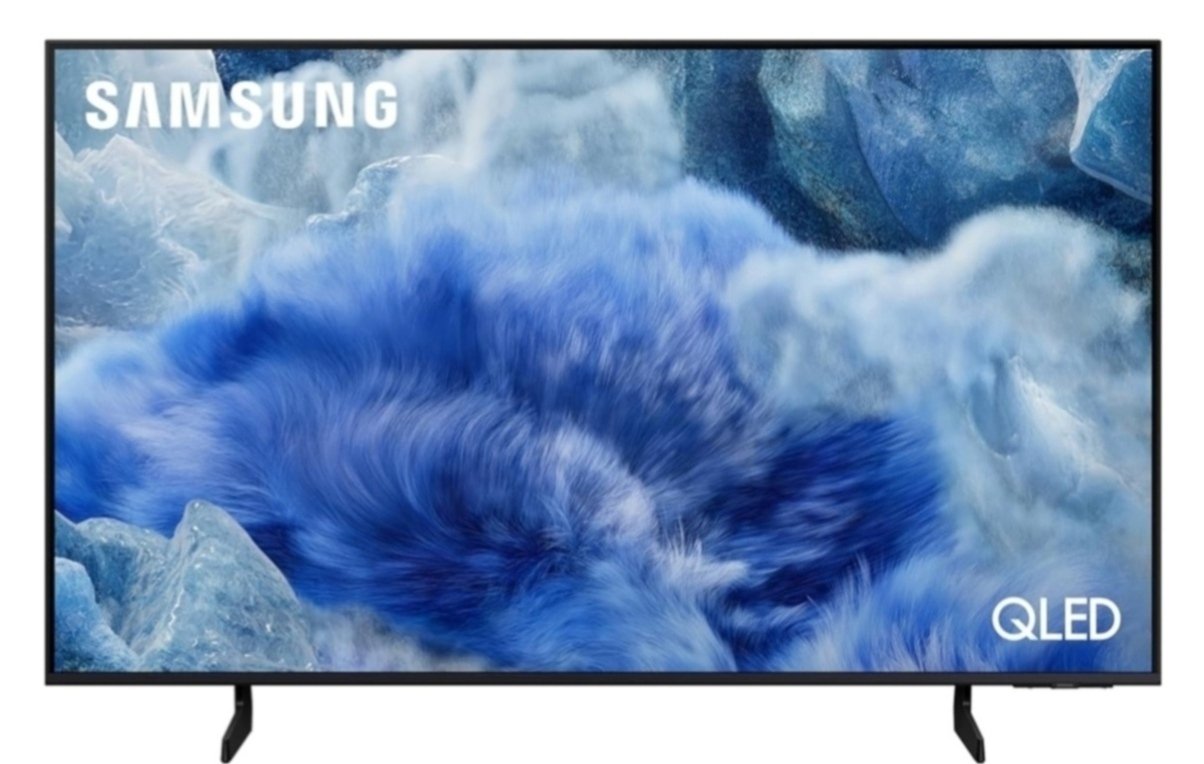
Shopping for a new television can feel overwhelming. There are so many screen sizes, display technologies, smart features, and price points to consider. If you want a TV that delivers sharp picture quality, smooth streaming, and a great viewing experience without taking over your living room, a samsung 55 inch smart tv model is worth considering.
Our tech team looks at the features that matter most to everyday viewers. These include picture quality, sound performance, smart TV functions, remote control usability, installation requirements, and overall value. We also consider how a television fits into a real home, from movie nights with family to watching live sports and scrolling through streaming apps.
If you are searching for a samsung 55 inch smart tv, this guide will help you understand what to look for before making a purchase. We will explore 4K resolution, QLED display technology, physical dimensions, remote control features, and the back panel connections that can make a difference in daily use.
Whether you are upgrading an older television or buying your first big-screen smart TV, this article will help you make a more informed decision.
Table of Contents
Samsung 55 Inch Smart TV: What Makes It Worth Considering?
A 55-inch television offers a practical balance between screen size and room space. It is large enough for an immersive movie experience but compact enough for many apartments, bedrooms, and medium-sized living rooms.
Samsung offers several television series with different display technologies and features. Some models focus on affordable 4K viewing, while others offer QLED displays, improved brightness, and additional gaming features.
The right choice depends on your budget and how you plan to use the television.
For example, someone who watches Netflix, YouTube, and regular TV channels may not need the same features as someone who plays console games or watches sports every weekend.
Before choosing a samsung 55 inch smart tv, consider these important factors:
- Picture quality: Look for a resolution and display technology that suit your viewing habits.
- Smart features: Check which streaming apps and voice assistants are supported.
- Sound quality: Consider whether the built-in speakers meet your expectations.
- Connectivity: Make sure the television has enough HDMI and USB ports.
- Installation: Check the stand dimensions, wall-mount compatibility, and available space.
- Price: Compare features across different Samsung series rather than choosing by screen size alone.
These details will help you find a television that fits your needs instead of paying extra for features you may never use.
Samsung 55 Inch Smart TV 4K: Understanding Picture Quality
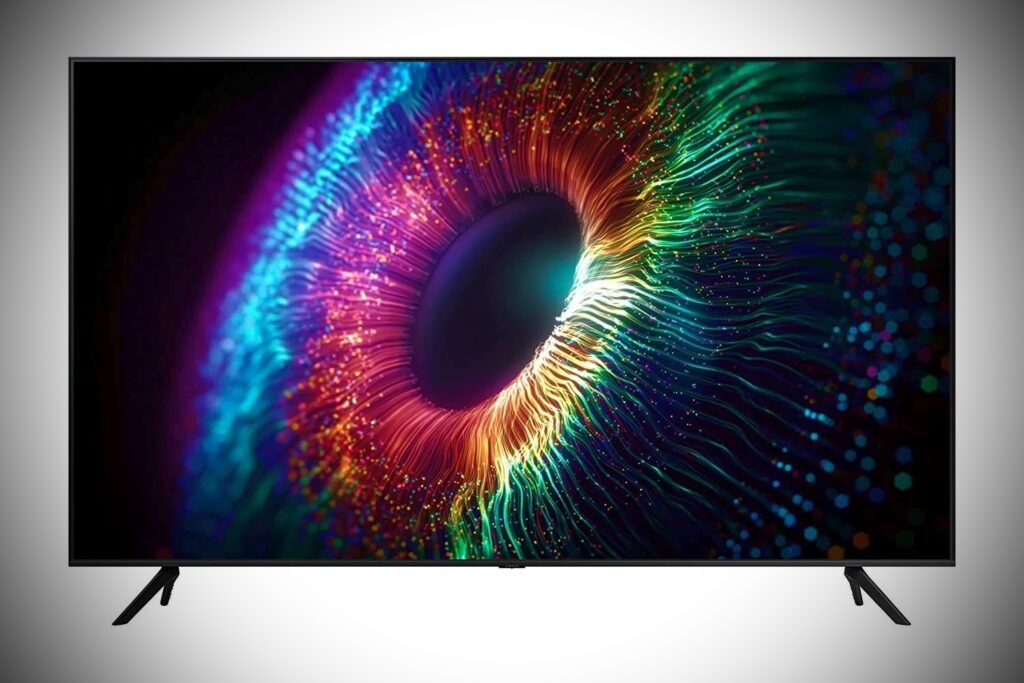
Resolution is one of the first specifications to check when shopping for a television.
A Samsung 55 inch smart tv 4k model has a resolution of 3840 × 2160 pixels. That is four times the pixel count of a Full HD television, which uses a resolution of 1920 × 1080 pixels.
More pixels can produce finer details, particularly when watching high-quality movies, nature documentaries, sports, and other content recorded in 4K.
However, resolution is only one part of picture quality. Brightness, contrast, color accuracy, and image processing also influence what you see on the screen.
Is 4K Resolution Noticeably Better?
For many viewers, yes. A 4K television can show more detail than a Full HD model, especially when the content is available in native 4K.
You may notice sharper textures in landscapes, more detail in close-up shots, and clearer images when sitting at a suitable viewing distance.
Streaming quality matters, too. A 4K television cannot automatically turn every video into genuine 4K content. Older shows, standard-definition channels, and lower-quality streams may look less detailed.
A reliable internet connection is also important when streaming 4K movies and television shows.
What About HDR Support?
High Dynamic Range, or HDR, can improve the difference between bright and dark areas in compatible content. It can also deliver more nuanced colors when the television supports the relevant HDR format.
Samsung 55 inch smart TV models vary in their HDR capabilities. Support for HDR10, HDR10+, and other picture technologies depends on the specific model.
Check the product specifications before buying if HDR performance is important to you.
Samsung 55 Inch Smart TV QLED: Is It Better Than a Standard LED TV?
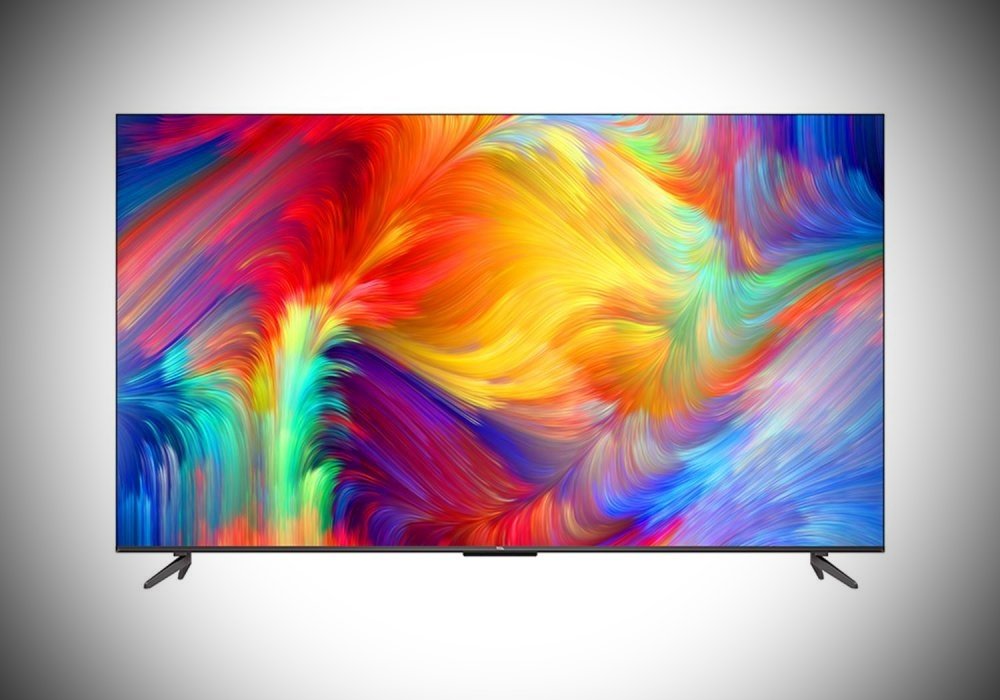
QLED is another feature worth understanding before choosing a television.
Samsung uses QLED technology in several of its television ranges. These televisions use quantum dots to help produce a wider range of colors and strong color performance.
A Samsung 55 inch smart tv qled model may be a good option if you watch movies, sports, or colorful video content and want a more vibrant picture.
However, QLED is not the same as OLED. QLED televisions generally use an LED backlight, while OLED televisions produce light at the individual pixel level.
This difference affects contrast and black levels.
Benefits of QLED Displays
QLED televisions can offer several advantages:
- Rich colors: Quantum-dot technology helps produce vivid, detailed colors.
- High brightness: Many QLED models perform well in rooms with plenty of ambient light.
- Everyday versatility: They can work well for movies, sports, streaming, and gaming.
- Different price options: Samsung sells QLED televisions across multiple product tiers.
Keep in mind that QLED performance varies by model. A premium QLED television may offer better brightness and contrast than an entry-level model.
It is worth checking independent reviews of the exact model you plan to purchase.
Should You Choose QLED or Standard LED?
A standard LED television may be sufficient if you mostly watch everyday TV programs and want to keep your budget under control.
QLED is worth considering if color performance and brightness are higher priorities.
Neither option is automatically the best for every household. Your viewing habits, room lighting, and budget should guide your decision.
Samsung 55 Inch Smart TV Dimensions: Will It Fit Your Room?
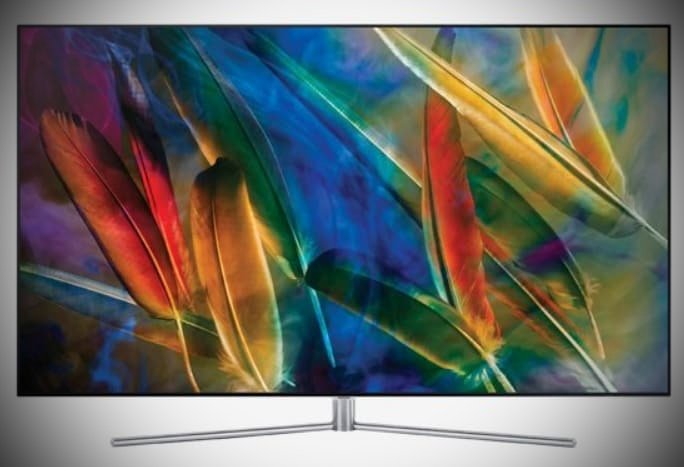
Screen size is measured diagonally from one corner of the display to the opposite corner. A 55-inch television does not measure 55 inches across its width.
The samsung 55 inch smart tv dimensions vary by model, particularly when you include the stand, frame, and rear housing.
As a general estimate, many 55-inch televisions are approximately 48 inches wide and 27 inches tall without the stand. The total height increases when the stand is attached.
These measurements are estimates, not universal Samsung specifications. Always check the dimensions listed for your exact model.
How Much Space Do You Need?
Before ordering a television, measure the area where you plan to place it.
Pay attention to the following:
- Width: Make sure the TV fits comfortably on your cabinet or entertainment unit.
- Height: Check the available space beneath shelves or wall-mounted cabinets.
- Depth: Allow enough room for the stand and any cables connected behind the television.
- Wall clearance: Leave adequate space around the TV for ventilation.
- Viewing distance: Position your seating at a comfortable distance for the screen size and resolution.
If you plan to mount the television, check the VESA mounting pattern and the supported weight. Make sure your wall mount is compatible with the specific model.
Do not assume every Samsung 55-inch television uses the same mounting dimensions.
Is a 55-Inch TV Too Big for a Bedroom?
Not necessarily.
A 55-inch television can work well in a spacious bedroom or a room where you watch movies from a bed or sofa. The best size depends on the distance between the screen and your usual seating position.
If you sit very close to the screen, a smaller television may be more comfortable. In a larger room, a 55-inch model can provide a more engaging viewing experience.
Measure your room before deciding.
Smart Features That Make Everyday Viewing Easier
A smart TV combines traditional television functions with internet-connected apps and services.
Depending on the model, a Samsung smart TV may provide access to streaming platforms, online videos, music apps, screen mirroring, and other connected features.
Many Samsung televisions use the Tizen operating system. However, available functions and interface details can vary by model and software version.
Streaming Apps and Online Entertainment
A smart TV can reduce the need for separate streaming devices.
You may be able to access services such as Netflix, YouTube, Prime Video, and other supported apps directly from the television.
Availability depends on your region, model, software version, and subscriptions.
For a smoother experience, check whether your preferred streaming services are supported before buying.
Voice Control and Smart Home Features
Some Samsung models support voice assistants and smart home integrations.
These features may allow you to search for content, control selected TV functions, or interact with compatible connected devices.
Not every television includes the same voice control options. Some features may also require a compatible remote, an account, or additional setup.
If voice commands are important to you, confirm the supported features for your chosen model.
Samsung 55 Inch Smart TV Remote: Features and Everyday Use
The remote control has a bigger impact on daily convenience than many shoppers realize.
A well-designed remote makes it easier to change channels, adjust volume, open streaming apps, and navigate menus without frustration.
A Samsung 55 inch smart tv remote may include dedicated streaming buttons, navigation controls, voice features, or a simplified button layout. The exact design depends on the television series.
What Should You Look for in a Remote?
Consider these practical features:
Easy navigation: The directional buttons and menu controls should feel comfortable to use.
Quick app access: Dedicated buttons can save time when opening your favorite streaming services.
Voice commands: Supported models may let you search for content or control certain functions by speaking.
Battery convenience: Some Samsung remotes use replaceable batteries, while certain models offer rechargeable designs.
Simple controls: A less crowded button layout can make the television easier to use for the whole family.
Do not assume every Samsung remote includes every feature. Check the included accessories listed for the exact model.
What If the Remote Stops Working?
Start with a few basic troubleshooting steps.
First, check the battery level if your remote uses replaceable batteries. Next, make sure nothing is blocking the television’s sensor or interfering with the connection.
If your remote uses Bluetooth, you may need to pair it again according to the television’s instructions.
Some compatible Samsung TVs can also be controlled through the SmartThings app. Compatibility and available controls depend on your model and network setup.
If these steps do not help, consult Samsung’s support information for your specific television.
Samsung 55 Inch Smart TV Back Panel: Ports and Connections Explained
The back panel determines how easily you can connect your other devices.
A Samsung 55 inch smart tv back panel may include HDMI ports, USB ports, an Ethernet connection, an antenna input, and an optical audio output. The available connections vary across models.
Checking these ports before purchase can help you avoid buying additional adapters or discovering that you do not have enough connections.
HDMI Ports for Consoles and Streaming Devices
HDMI is one of the most important connections on a modern television.
You can use HDMI to connect devices such as:
- PlayStation and Xbox consoles
- Streaming players
- Blu-ray players
- Compatible soundbars and AV receivers
- Set-top boxes
The number of HDMI ports differs by model.
If you plan to connect a gaming console, soundbar, and streaming device, count how many ports you will need.
Some models include HDMI features designed for gaming, such as Auto Low Latency Mode or support for higher refresh rates. These capabilities are not available on every Samsung television.
USB, Ethernet, and Audio Connections
USB ports may support compatible storage devices and certain accessories.
An Ethernet port can provide a wired internet connection, which may be useful if your Wi-Fi signal is unreliable.
Some televisions include an optical audio output for compatible sound systems. Other audio connection options depend on the model.
Check the back-panel diagram in the official specifications to confirm the ports available on your chosen television.
Why Port Placement Matters
Port placement affects how easily you can connect devices after installation.
If the TV is mounted close to a wall, side-facing ports may be easier to reach than rear-facing connections.
This is especially important if you frequently change connected devices.
Measure the available clearance and plan your cable routing before mounting the television.
Sound Quality: Do You Need a Soundbar?
Picture quality often receives the most attention, but sound is equally important for an enjoyable viewing experience.
Samsung televisions include built-in speakers, although their output and capabilities vary by model.
Built-in speakers may be sufficient for regular television programs, news, and casual viewing. However, a separate soundbar can provide a fuller sound experience for movies, action scenes, and music.
What Should You Consider?
Look for the television’s speaker output, supported audio formats, and compatibility with external sound systems.
Some Samsung models support Q-Symphony, which can coordinate compatible Samsung TV speakers with a compatible Samsung soundbar.
This feature is model-dependent, so check the specifications before assuming it is available.
ChIf you enjoy watching movies at home, consider setting aside part of your budget for audio equipment.
You do not need to purchase a premium sound system immediately. You can always add one later if the built-in sound does not meet your expectations.
Gaming Performance and Sports Viewing
A 55-inch television can be an excellent choice for gaming and live sports, provided the model offers the features you need.
For gaming, check the native refresh rate, input lag, HDMI capabilities, and support for features such as variable refresh rate.
These specifications matter more than the screen size alone.
For sports, look for clear motion handling, good brightness, and a picture mode that keeps fast-moving action easy to follow.
A higher refresh rate can be beneficial for compatible content, but not every Samsung 55 inch smart TV model supports 120Hz or advanced gaming features.
Check the exact specifications rather than relying on the general product category.
How Our Tech Team Evaluates a Samsung 55 Inch TV
A useful television review should focus on real-world performance rather than a list of impressive specifications.
When evaluating a samsung 55 inch smart tv, a thorough testing process should consider several areas.
Picture performance: Assess brightness, contrast, color reproduction, viewing angles, and upscaling of lower-resolution content.
Streaming performance: Check app availability, menu responsiveness, and the reliability of network connections.
Sound quality: Listen to dialogue clarity and the performance of built-in speakers at different volume levels.
Connectivity: Confirm the number and type of ports, including their accessibility after installation.
Remote usability: Evaluate button placement, navigation, pairing, and access to common functions.
Installation: Check the stand’s stability, wall-mount compatibility, and cable management options.
Overall value: Compare the features and performance against televisions in a similar price range.
These checks help identify strengths and limitations that may not be obvious from a product description.
Actual results should be based on hands-on testing of the specific television model. Samsung’s product range includes different panel types, processors, audio systems, and smart features, so performance should not be assumed to be identical across all 55-inch models.
Pros and Cons of a Samsung 55 Inch Smart TV
Before making your final decision, consider the potential advantages and limitations.
Pros
- A practical screen size for many living rooms and bedrooms.
- 4K resolution is available across a range of Samsung models.
- QLED options provide an alternative for shoppers who prioritize color performance.
- Built-in smart features can reduce the need for a separate streaming device.
- Multiple television series offer different feature sets and price points.
- Compatible gaming and audio features are available on selected models.
Cons
- Picture quality varies considerably between product series.
- Advanced gaming features may be limited to specific models.
- Built-in speakers may not satisfy viewers who want powerful home theater sound.
- The included remote and available ports vary by television.
- Premium display technologies can increase the purchase price.
The best approach is to compare specific models and decide which features are genuinely important to you.
Buying Tips Before You Make a Decision
A little research can help you avoid common buying mistakes.
First, decide how much you want to spend. Then compare televisions within that budget rather than focusing on the most expensive model.
Next, consider your main use. Streaming, gaming, sports, and general television viewing can have different requirements.
Check the exact model number before placing an order. Two Samsung televisions with the same screen size may have different display technologies, port configurations, and smart features.
Review the warranty, return policy, and availability of local service.
If you are shopping online, examine the product listing carefully and make sure it identifies the correct model. Do not rely on a product title alone.
Finally, compare current prices from reputable sellers. Discounts and availability can change, so the best-value model today may not be the same one you considered last week.
Frequently Asked Questions
1. Is a Samsung 55 inch smart TV good for everyday use?
Yes, a Samsung 55 inch smart TV can be suitable for streaming, watching regular television, enjoying movies, and playing games. The best choice depends on the specific model and the features you need.
2. Does every Samsung 55 inch smart TV support 4K?
No. Although 4K resolution is available across many Samsung television ranges, you should confirm the resolution of the exact model before purchasing.
3. What are the typical Samsung 55 inch smart TV dimensions?
Many 55-inch televisions measure approximately 48 inches wide and 27 inches tall without the stand. Exact dimensions vary by model, so check the manufacturer’s specifications before installation.
4. Is a Samsung 55 inch smart TV QLED better than a standard LED TV?
QLED models use quantum-dot technology to improve color performance and can offer strong brightness. However, the overall difference depends on the models being compared, including their contrast, backlighting, and image processing.
5. Can I replace a Samsung 55 inch smart TV remote?
Yes. Replacement remotes are available for many Samsung television models. Check compatibility with your exact model number before buying a replacement.
6. How many HDMI ports does a Samsung 55 inch smart TV have?
The number varies by model. Check the official specifications if you need connections for a console, soundbar, streaming player, or other devices.
7. Can I mount a Samsung 55 inch smart TV on the wall?
Many models support wall mounting. Confirm the compatible VESA pattern, mounting hardware, and television weight before installation.
8. Does a Samsung 55 inch smart TV need a soundbar?
No. The built-in speakers are sufficient for many everyday viewing situations. A compatible soundbar may be worthwhile if you want fuller sound and clearer dialogue.
9. Is a Samsung 55 inch smart TV suitable for gaming?
Yes, selected models can work well for gaming. Check the refresh rate, input lag, HDMI features, and support for gaming technologies before making a purchase.
10. How do I choose the best Samsung 55 inch smart TV?
Compare display quality, smart features, sound, connectivity, dimensions, warranty, and price. Choose the model that matches your viewing habits and budget rather than paying extra for features you will rarely use.
Final Verdict: Is a Samsung 55 Inch Smart TV Right for You?
A samsung 55 inch smart tv can be a practical choice for anyone who wants a larger screen without moving to an oversized television.
The available options range from everyday 4K smart TVs to more advanced QLED models with additional picture and gaming features. The key is understanding which specifications will make a real difference in your home.
Before purchasing a samsung 55 inch smart tv, check the resolution, display technology, dimensions, remote control, and back-panel connections. These details can help you avoid compatibility problems and choose a television that fits your room.
Most importantly, compare the exact model numbers. Samsung 55 inch smart TV offers a wide selection and their features can differ significantly.
With a little research, you can find a model that meets your entertainment needs, fits your budget, and makes everyday viewing more enjoyable.

8 Top New Technologies That Have Changed Human Life

The Best 7 Technology Needs to Prioritize for Business

Samsung 55 Inch Smart TV: Tested by Tech Team

Socialmediagirls Forum: 10 Amazing Ways to Connect to the Earth

6 Forms of Entertainment in Human Life: Better Experience

Power of Art – Its Essential Role in a Child’s Growth
-
 Tech3 years ago
Socialmediagirls Forum: 10 Amazing Ways to Connect to the Earth
-
 Entertainment3 years ago
6 Forms of Entertainment in Human Life: Better Experience
-
 Art3 years ago
Power of Art – Its Essential Role in a Child’s Growth
-

 Art3 years ago
Creative Art Ideas – Twelve Imagination Perspective of the Virtuous Man
-

 Entertainment3 years ago
Movie Lovers – The 5 Unforgettable Roamantic Movies of All Time
-

 Lifestyle3 years ago
Online Product Shopping – The Best 9 Essential Tricks to Important
-

 Entertainment3 years ago
Awards Ceremony – One Show to Celebrate Success and Recognize Talent
-

 Lifestyle3 years ago
Essential Dressing Tips for Men